

How to Program A Replacement Ford Remote - Okey DoKey Locksmith
Many older Ford vehicles include an on-board remote programming procedure that allows a compatible keyless-entry remote to be registered without diagnostic equipment. This can be useful when replacing a damaged remote or adding another remote to a vehicle that supports the feature.
Remote programming should not be confused with programming a transponder key. The remote buttons control functions such as locking and unlocking the doors, while the transponder is part of the vehicle's immobilizer system. Depending on the Ford model and year, these can require separate procedures.
Contents
- What Is Ford On-Board Remote Programming?
- Ford Keyless Entry Remote
- Before Programming a Ford Remote
- How to Program a Ford Remote
- Ford Models With On-Board Remote Programming
- Programming Variations
- What If the Remote Won't Program?
- Remote Programming vs. Transponder Programming
- Ford Remote Programming Video
- Ford Remote Programming FAQ
- References
What Is Ford On-Board Remote Programming?
On-board programming is a feature available on certain Ford vehicles that allows the vehicle owner to register a compatible remote using the vehicle's controls rather than connecting external programming equipment.
The exact procedure depends on the Ford model and year. Some vehicles enter remote-programming mode by cycling the ignition several times, while others use a different combination of ignition, door-lock, or driver's-door controls.
Not every Ford supports owner-programmable remotes. Later vehicles and some electronic key systems may require different procedures or professional programming. If you are replacing the entire key rather than only the remote, see Ford key replacement.
Ford Keyless Entry Remote
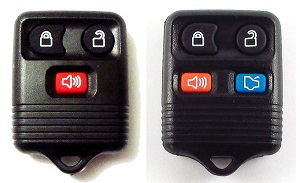
Ford has used several styles of three-button and four-button remotes. Depending on the vehicle, buttons may operate the door locks, trunk or liftgate, panic function, and other supported features.
A replacement remote must be compatible with the vehicle. Two Ford remotes can look nearly identical while using different electronics, so appearance alone should not be used to determine compatibility.
Traditional keyless-entry remotes are also different from modern proximity and smart keys, which can communicate with the vehicle for passive entry and starting functions.
Before Programming a Ford Remote
Before attempting the procedure, make sure you have the correct remote for your Ford and a working ignition key.
For the programming procedures covered on this page:
- Have at least one functional ignition key.
- Make sure the replacement remote is compatible with the vehicle.
- Have every remote you want to use with you before entering programming mode.
- Make sure the vehicle battery and remote battery have sufficient power.
- Close the vehicle doors before beginning unless the procedure specifies otherwise.
Programming procedures can differ even between vehicles carrying the same model name. When available, check the owner's manual for the procedure specified for your exact model year.
How to Program a Ford Remote
The following procedure applies to the Ford applications listed in the main compatibility section below.
1. Prepare the Vehicle

Close and lock the doors. Open the driver's door and use the power-door control to unlock the doors.
2. Cycle the Ignition
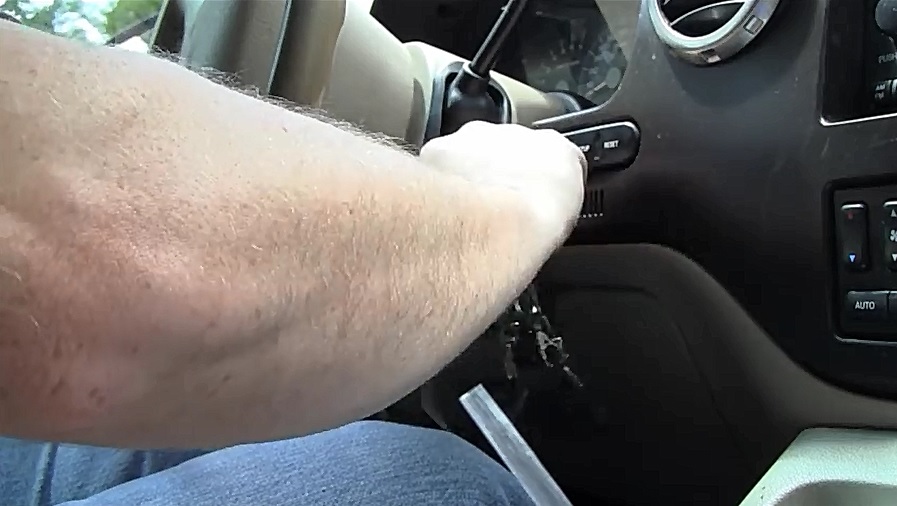
Insert the working key into the ignition. Turn the ignition from OFF to RUN eight times within 10 seconds, ending the eighth cycle in the RUN position.
If the vehicle successfully enters programming mode, the door locks should cycle.
3. Program the First Remote
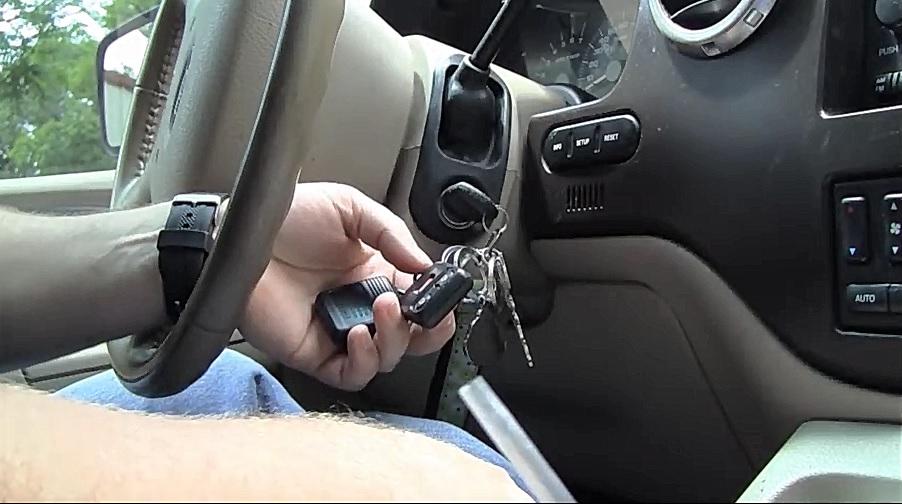
Within eight seconds of entering programming mode, press a button on the first remote. The door locks should cycle to indicate that the remote has been registered.
4. Program Additional Remotes
Within eight seconds, press a button on each additional remote you want to register. The original procedure allows up to four remotes.
Have all remotes available before starting because entering programming mode can affect which remotes remain registered with the vehicle.
5. Exit Programming Mode
Turn the ignition to OFF. The door locks should cycle again to indicate that programming mode has ended.
Test every remote before closing the vehicle to confirm that the lock and unlock functions operate correctly.
Ford Models With On-Board Remote Programming
The eight-cycle procedure above applies to the following Ford applications listed for this programming method:
- Ford Explorer 1998–2001
- Ford Taurus 1998–2007
- Ford Excursion 2000–2006
- Ford Crown Victoria 2007–2008
- Ford Mustang 1999–2009
- Ford F150 1998–2003
- Ford F250 1998–2003
- Ford Ranger 1998–2008
- Ford Escape 2001–2007
- Ford Escort 1997–2003
- Ford F350 2001–2008
Model-year lists should be treated as a starting point because equipment and keyless-entry systems can vary by vehicle configuration.
Ford Remote Programming Variations
Some Ford models use a different method for entering remote-programming mode. Do not automatically use the eight-cycle procedure on every Ford.
Variation 1: Five Ignition Cycles
For the following applications, the original programming procedure uses five ignition cycles rather than eight:
- Ford Explorer 1995–1997
- Ford F350 1999–2000
- Ford Ranger 1995–1997
- Ford Taurus 1996–1997
- Ford F250 1997
- Ford F150 1997
- Ford Expedition 1997
Variation 2: Four Ignition Cycles
The following application uses four ignition cycles to enter programming mode:
- Ford Crown Victoria 2000–2006
Variation 3: Driver's Door Method
The following application uses the driver's door and power-unlock control rather than the ignition-cycle method:
- Ford Explorer 2002–2008
Variation 4: Power-Unlock Method
The following applications use a power-unlock based variation rather than the standard ignition-cycle procedure:
- Ford F150 2004–2009
- Ford F250 2004–2009
For this variation, the original procedure specifies using the power-unlock control without pressing the brake pedal.
What If the Ford Remote Won't Program?
If the door locks do not cycle when expected, the vehicle may not have entered programming mode. Start again and make sure the required ignition cycles are completed within the specified time.
If programming mode works but the remote is not accepted, possible causes include:
- Incorrect or incompatible remote
- Weak or dead remote battery
- Incorrect procedure for the model year
- Problem with the remote itself
- Vehicle keyless-entry system problem
- The vehicle does not support that on-board programming method
If none of the remotes operate and the vehicle cannot enter programming mode, further diagnosis may be necessary. An automotive locksmith can determine whether the problem involves the remote, key, or vehicle system.
Remote Programming vs. Transponder Programming
This distinction is important: programming the remote buttons does not necessarily program the transponder key.
The remote portion communicates with the vehicle's keyless-entry system to operate functions such as lock and unlock. A transponder key communicates with the immobilizer system so the vehicle can authorize engine starting.
A Ford key can therefore have working lock and unlock buttons while its transponder is not authorized to start the vehicle. The opposite can also occur: a key may start the engine while the remote buttons do not operate.
If every working key has been lost, remote programming alone will not solve an all-keys-lost situation. The correct replacement key must be cut and, when required, electronically programmed to the vehicle.
Ford Remote Programming Video
The following video demonstrates the Ford remote-programming procedure:
Ford Remote Programming FAQ
Can I program a Ford remote myself?
Some Ford models support on-board remote programming, allowing a compatible remote to be registered without diagnostic equipment. Availability and the procedure depend on the model and year.
Why don't the locks cycle when I turn the ignition eight times?
The vehicle may require a different number of ignition cycles, the cycles may not have been completed within the required time, or that particular vehicle may use another programming method.
Does programming the remote also program the Ford transponder?
Not necessarily. Remote keyless-entry programming and immobilizer transponder programming are different functions. A remote can be successfully programmed even though the transponder portion of the key still requires separate authorization.
Do I need a working key to program the remote?
The procedures on this page assume that you already have a functional ignition key. An all-keys-lost situation requires a different Ford key replacement process.
Can I add more than one Ford remote?
The main procedure above allows additional compatible remotes to be registered while the vehicle remains in programming mode, with the original procedure specifying up to four remotes.
Why does my Ford remote look identical but not program?
Appearance does not guarantee electronic compatibility. Different Ford vehicles can use remotes that look alike but operate with different electronics or applications.
